01 / 04
It lives in your notch
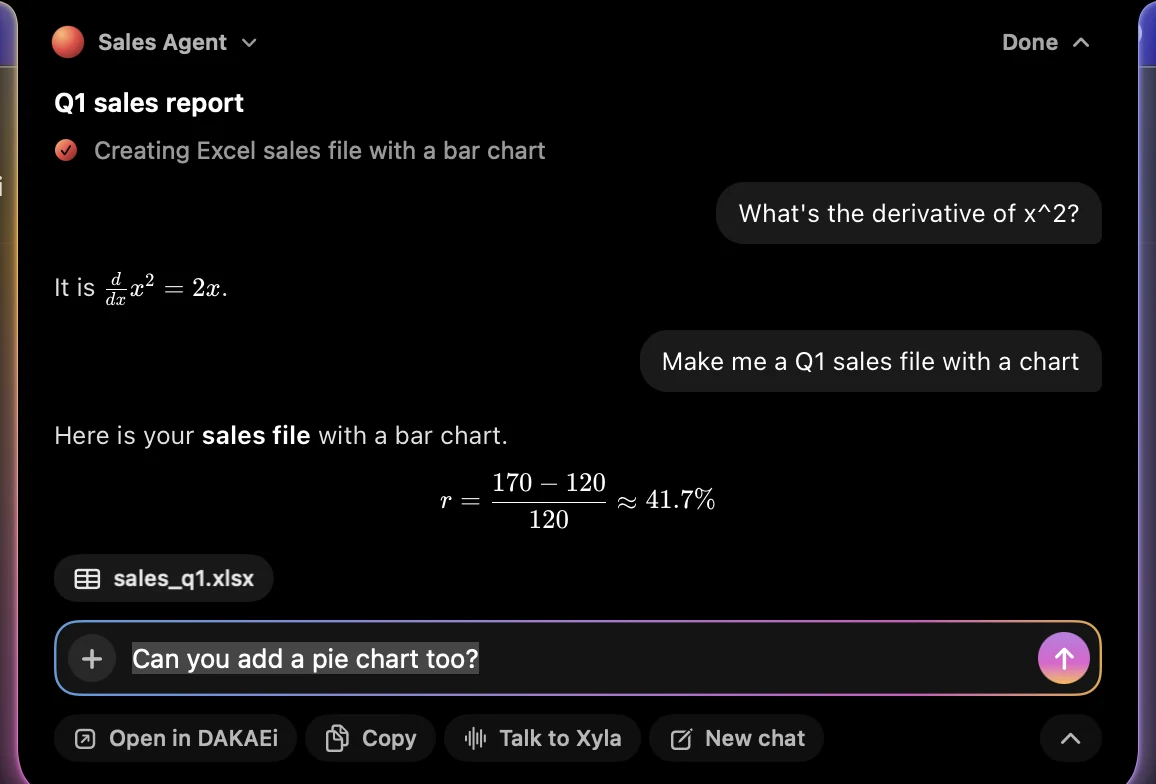
While DAKAEi works, the notch shows it: a turning orb in your agent's colours, the step it is on, and a soft glow. When the reply is ready it says so, then folds away.








Your AI assistant, right in the notch. Ask anything without switching apps, drop files on it, and let Xyla show you around your screen.
Free · macOS 14 or later · Apple silicon and Intel
DAKAEi for Mac
While DAKAEi works, the notch shows it: a turning orb in your agent's colours, the step it is on, and a soft glow. When the reply is ready it says so, then folds away.
Click the notch to read the conversation, with math, tables and files rendered properly. Reply right there, switch agents, or start a new chat, without leaving the app you are in.
Talk to Xyla, DAKAEi's voice assistant. Ask how to do something and she looks at your screen, explains, and points to exactly where to click. She only points: you stay in control.

During a call the notch becomes the call: Xyla's orb and live voice bars, an eye while she looks at your screen, and controls one click away.

Drag any file to the top of your screen and drop it on the notch. It attaches and waits for your question.
Paste a screenshot or an image and it attaches. Paste a very long text and it goes in as a file.
Take a screenshot of any part of your screen from the notch and send it with your message.
Updates arrive by themselves. No App Store, no reinstalling.
On first launch a short checklist walks you through signing in, the microphone for Xyla, and screen viewing. Everything is optional and can be changed in Settings. Xyla looks at your screen only when you ask, and never clicks or types.
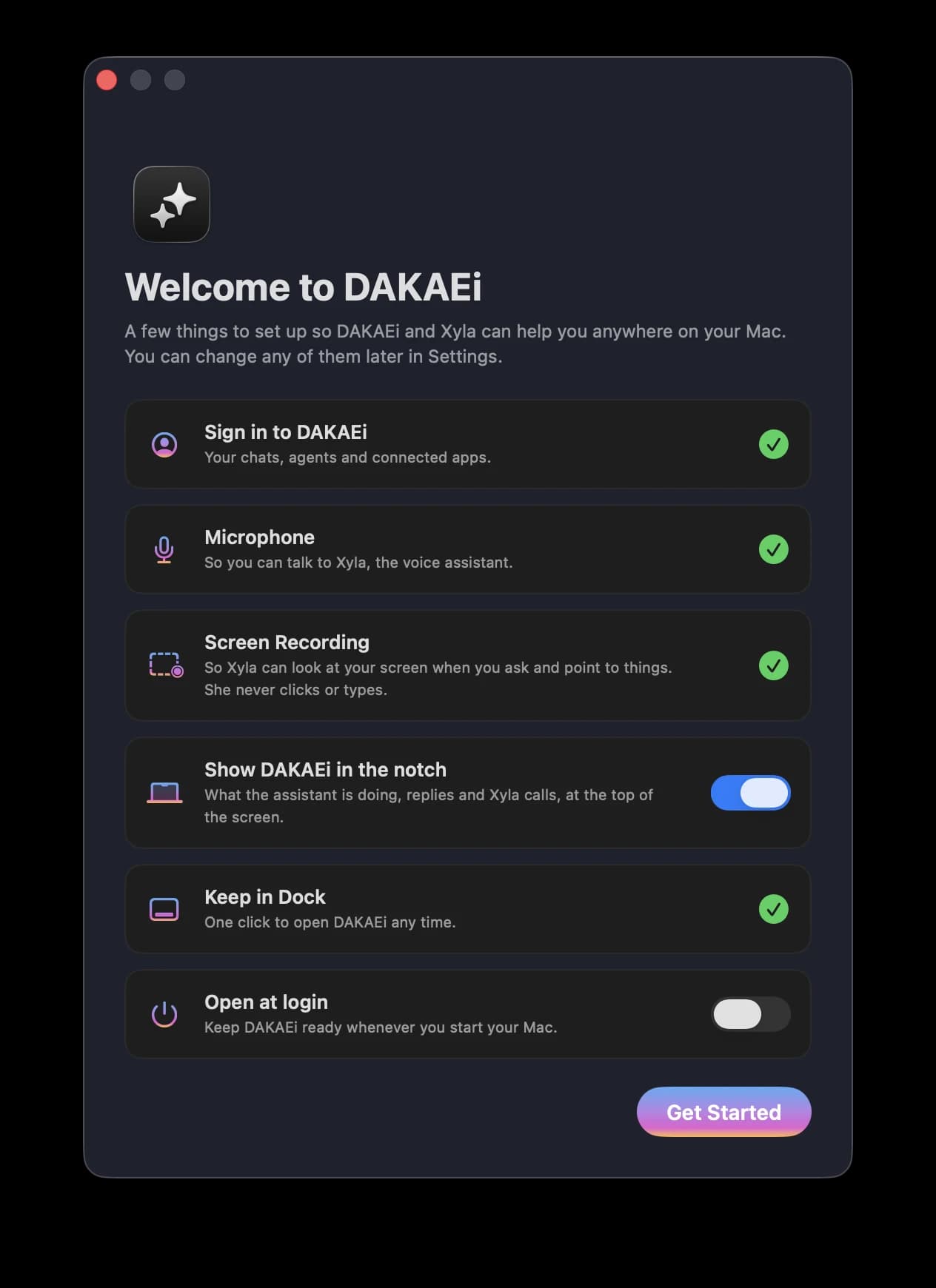
Free to download. Sign in with your DAKAEi account.
Download for MacPrefer the browser? Use DAKAEi on the web